Digital cameras made shooting almost free, and the result is familiar: a weekend trip produces eight hundred frames, and a month later they are still sitting untouched on a memory card. The problem is rarely the shooting. It is the sorting. Photographers who deal with this well tend to treat selection as a separate job with its own rules, done in passes, rather than something you do while scrolling and feeling vaguely overwhelmed. Here is a workflow that scales from a family weekend to a full wedding day.
Why Culling Feels Harder Than It Should
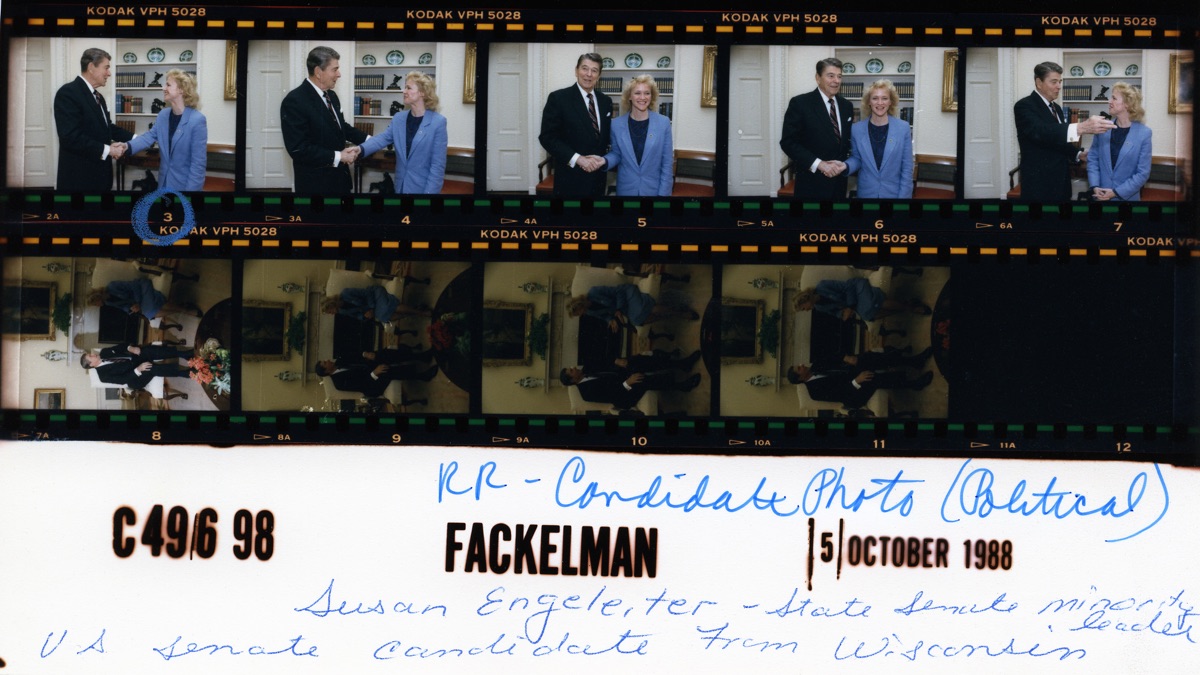
Contact sheets from the film era forced a discipline that is easy to lose today. You had thirty-six frames on a strip, a pen, and a loupe; you circled the few worth printing. Nothing about that was mysterious, but the physical limit made the decision small. On a screen showing thousands of thumbnails, every picture asks for the same amount of attention as the best one, and you end up either keeping everything or abandoning the folder.
The answer is to bring the limit back on purpose. Decide in advance roughly how many pictures you want at the end, and be willing to be wrong by a margin. Forty keepers from a day of shooting is a useful target for a personal album; an event you are delivering to a client will need more. The number matters less than having one.
Pass One: Speed, Not Taste
The first pass has a single purpose: remove what is plainly unusable. Work quickly, look at each frame for a second or two, and reject only for objective reasons.
- Missed focus on the main subject, checked at a magnified view only when a frame is otherwise promising.
- Accidental shots — the lens cap, the pocket, the floor.
- Blinks and mid-sentence faces when a neighboring frame in the same burst is clearly better.
- Exact repeats where you pressed the shutter three times and the frames are the same.
Do not judge composition or mood yet. If you hesitate, keep the frame. A common result is that this pass removes somewhere between a third and a half of a typical shoot, and it takes a fraction of the time that a careful look at everything would.
Pass Two: Compare in Groups
Now the survivors are grouped. Pictures taken within a minute or two of each other usually show the same moment, so view them side by side and choose one, or two if they genuinely differ. The rule that helps most here is to compare, never to rate. Giving each picture its own star score invites you to pick eight "five-star" frames of the same scene. Choosing a winner among similar neighbors forces a real decision.
Two questions settle most cases. Which frame would you show someone who had not been there? And which one would you still want in ten years? They are not always the same picture, and when they differ, the second question tends to give the better album.
Pass Three: Sequence and Trim
With a shortlist in hand, look at it as a whole. Are there ten near-identical landscapes and no pictures of the people you were with? Is one part of the day overrepresented because it happened to be photogenic? Cut for balance, not just for quality. This is also where a slightly weaker picture sometimes earns its place because it tells a part of the story that the stronger ones skip.
Keep Rejects Somewhere, But Not in the Way
Deleting immediately feels clean but cannot be undone. A calmer habit is to move rejects into a subfolder named _rejects inside the shoot folder, and to remove it only after the keepers are safely backed up and a few weeks have passed. Storage is cheap; regret over a frame you did not mean to throw away is not. If you are unsure how many copies are enough, our piece on backing up a growing photo library walks through the 3-2-1 rule and how to test a restore.
Name the Keepers So You Can Find Them Again
A shortlist of IMG_4021.JPG and IMG_4087.JPG is only useful while you remember what they are. Once the keepers are chosen, give them names that sort in a sensible order: the date, a short event label, and a running number, for example 2026-10-12_harvest-market_007.jpg. A batch rename does this in seconds, and our guide to organizing photo collections with batch renaming covers the patterns that hold up over years. If you do the renaming after the cull rather than before, you also avoid spending effort on pictures you were about to discard.
A Routine You Can Repeat
- Copy the whole shoot from the card to your computer and confirm the copy before reformatting anything.
- Pass one: reject only the clearly unusable frames, quickly.
- Pass two: compare neighbors and pick winners without star ratings.
- Pass three: check balance against your target number and trim.
- Move rejects to a holding subfolder, rename the keepers, and back them up.
The first time you try this, it may feel slower than simply deleting the obvious misses and moving on. By the second shoot the passes become habit, and the folder that used to wait for months is finished the same evening. A small, named, backed-up set of forty good pictures is worth more than eight hundred that nobody opens.
← Back to Blog